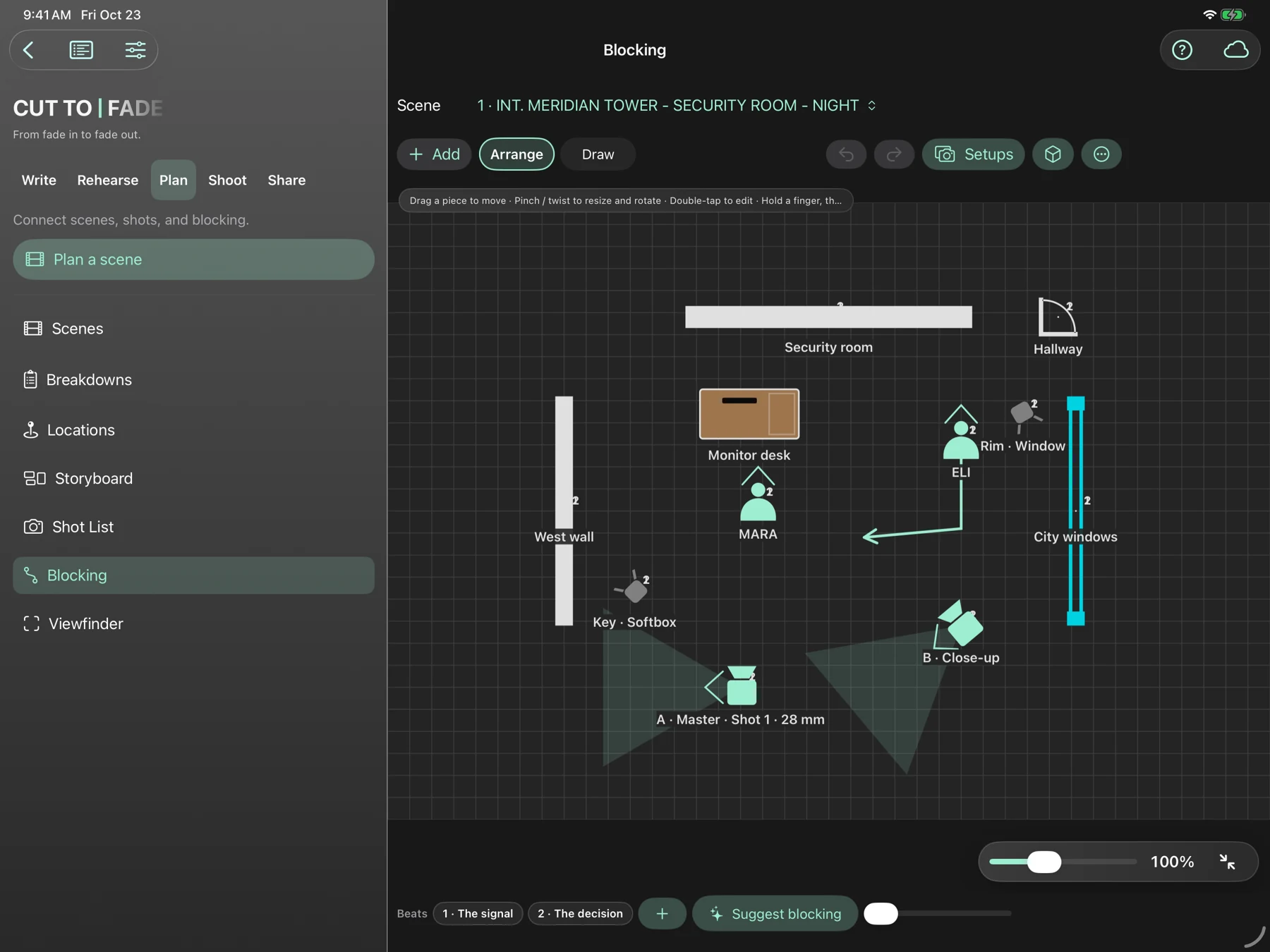
Work out the scene.
Explore blocking and lighting before you arrive on set.
 CUT TO | FADE
THE FILMMAKER’S WORKSPACE
For the stories that won’t leave you alone.
Write, hear, rehearse and plan your next film.
All in Cut To Fade.
iPhone · iPad · Mac · Apple Watch companion
FADE IN:
INT. YOUR IMAGINATION — DAY
A blank page. A passing thought.
Something worth staying up for.
ONE STORY. EVERY STAGE.
Less switching tools.
More staying with the scene.
THE FIRST DRAFT
A continuous screenplay editor, scene cards and character profiles. A place to catch an idea and give it room to become something.
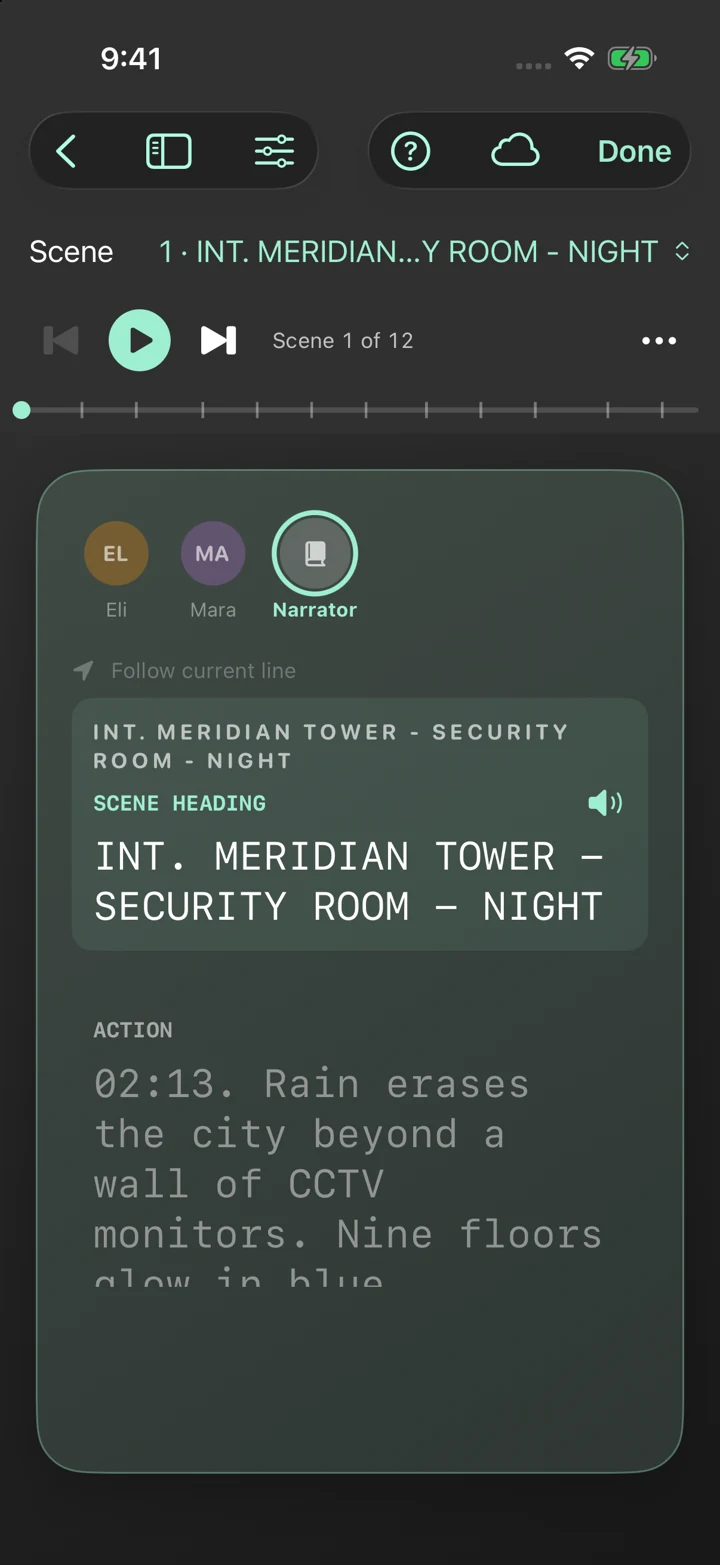
GIVE THE PAGE A VOICE
Dialogue changes when you hear it. Cast your characters, listen to the rhythm, and find the moments that need another pass.
Your script. Your voices. Your device.
Table Read processes your script on-device, so you can hear it come to life without uploading it to a voice service.
PRESS PLAY. FOLLOW THE SCENE.
INT. RAILWAY STATION — NIGHT
An original scene · Four voices · 53 seconds
Prerecorded synthetic-voice demo using the Kokoro voice library available in Cut To Fade. Voice delivery may vary by app version and settings.
 FIND YOUR CUE. MAKE IT YOURS.
THE ACTOR’S CORNER
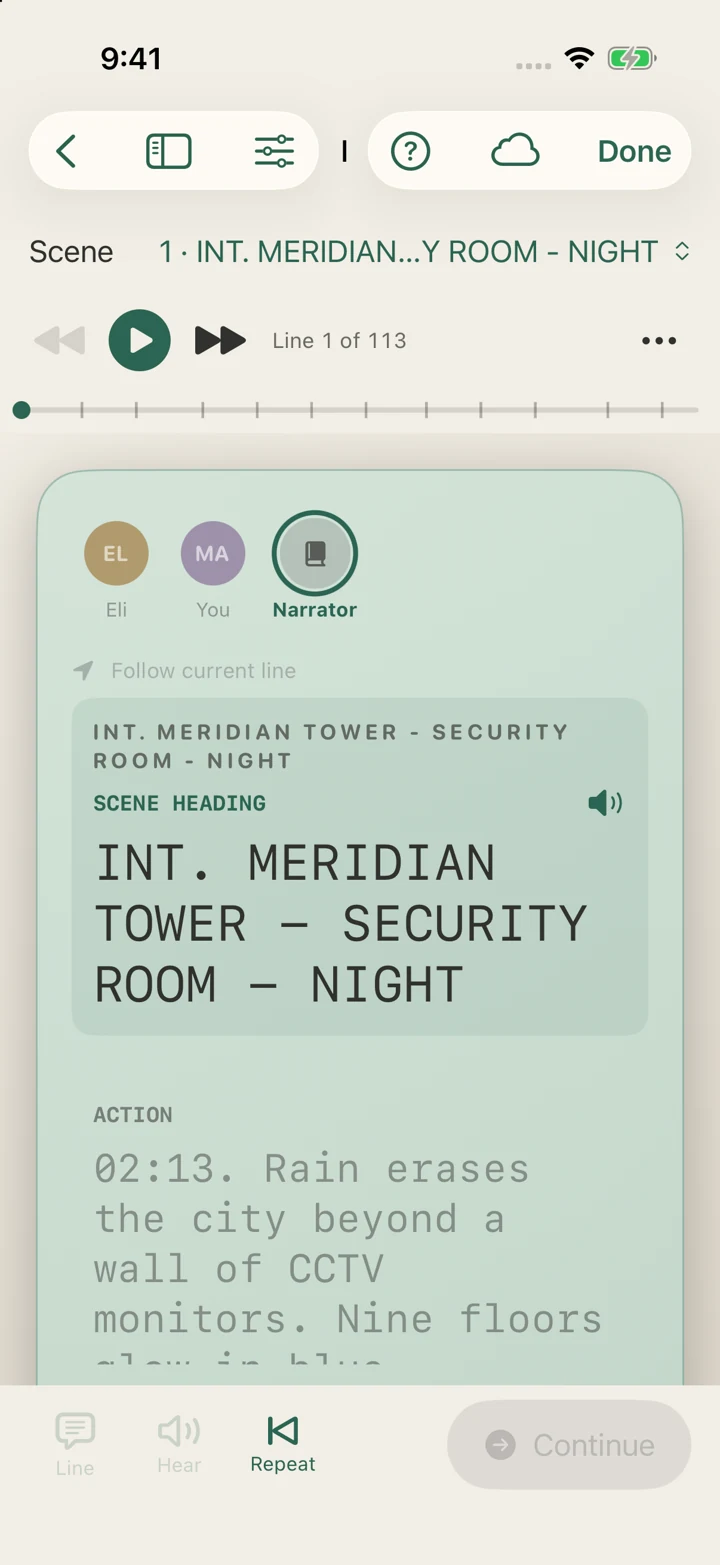
Take your part. Let Cut To Fade read everyone else. Work a scene until the words stop feeling like words on a page.
Tap to continue, or explore Pro’s timed and listening modes.
Pro adds fading prompts, loops and recorded rehearsal takes.
Use the Apple Watch companion for rehearsal and production controls.
FROM THE PAGE TO THE SET
SMALL CREW. BIG PICTURE.Explore blocking and lighting before you arrive on set.
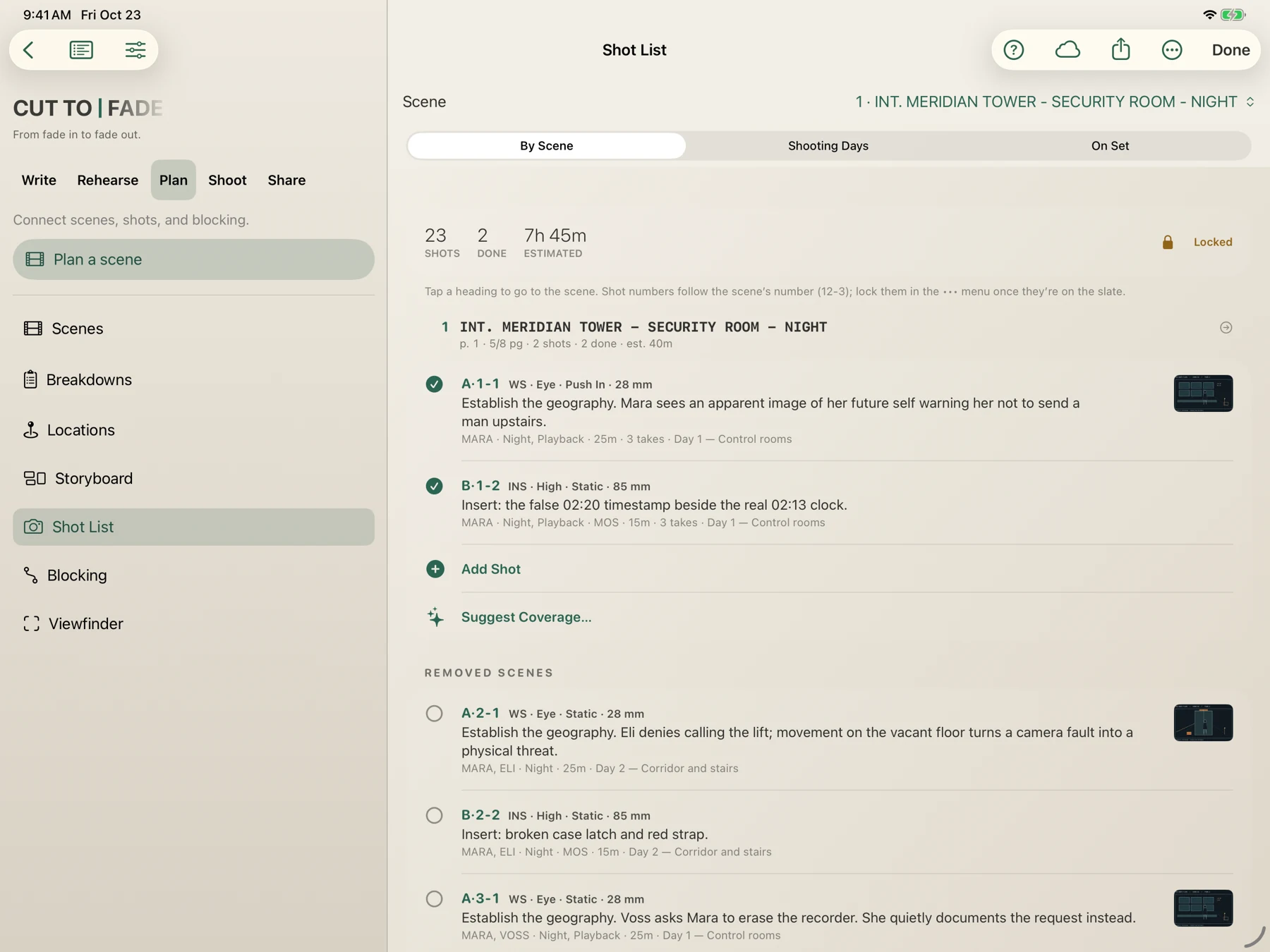
Shot lists, schedules and crew packets keep the next step in view.
BRING WHAT YOU’VE STARTED
Start fresh or bring an existing screenplay into your workspace.
Review text recognition and character assignments after importing scanned PDFs.
START WITH THE STORY
THE ESSENTIALS
For getting your story onto the page.
THE NEXT CHAPTER
For taking the scene further.
Current prices and purchase options are shown in the app and may vary by region. Some features require compatible devices.
Screenwriters, actors and independent filmmakers who want to keep writing, rehearsals and production planning around the same script.
Cut To Fade is available for iPhone, iPad and Mac, with an Apple Watch companion. Check the App Store for current system requirements and device compatibility.
Core writing tools and standard exports are included free. Pro unlocks additional rehearsal, voice and production features. See current pricing and purchase options in the app.
No. Table Read voice processing happens on your device. Your scripts can sync across your Apple devices through your own iCloud account.
Yes. PDF import includes text recognition for scanned pages. Review the imported text and character assignments before starting a Table Read.
YOUR NEXT SCENE STARTS HERE
Available on the App Store